
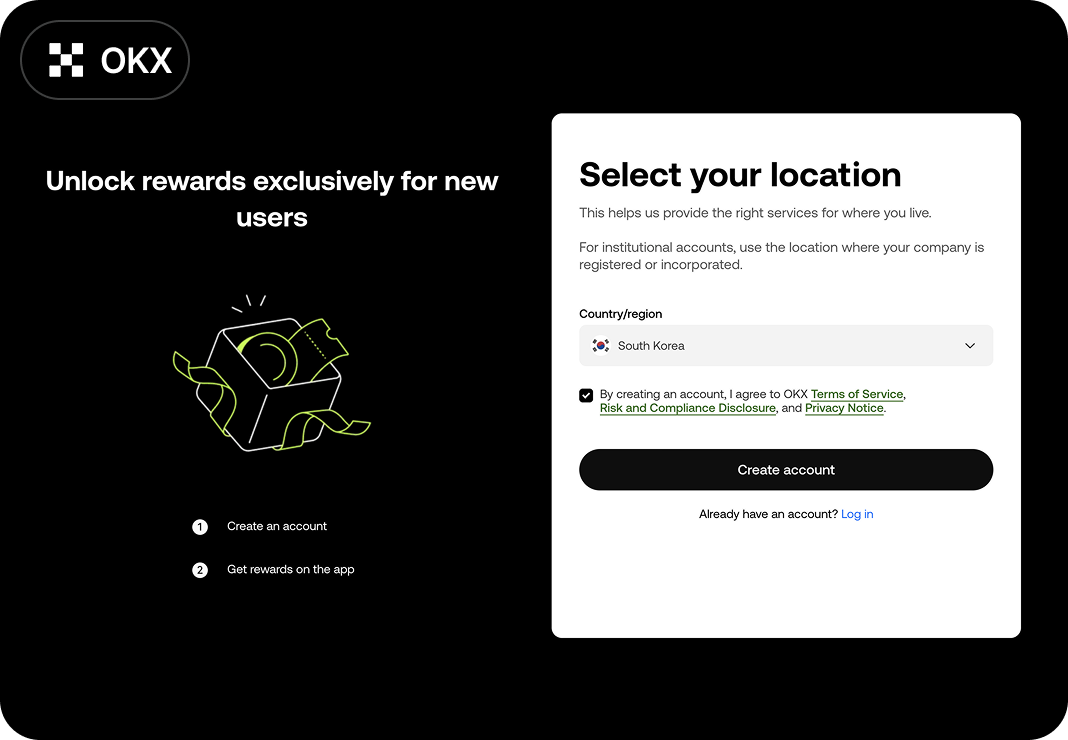
Go to the Registration Page
Confirm your country, check the box, and then select [Create account].
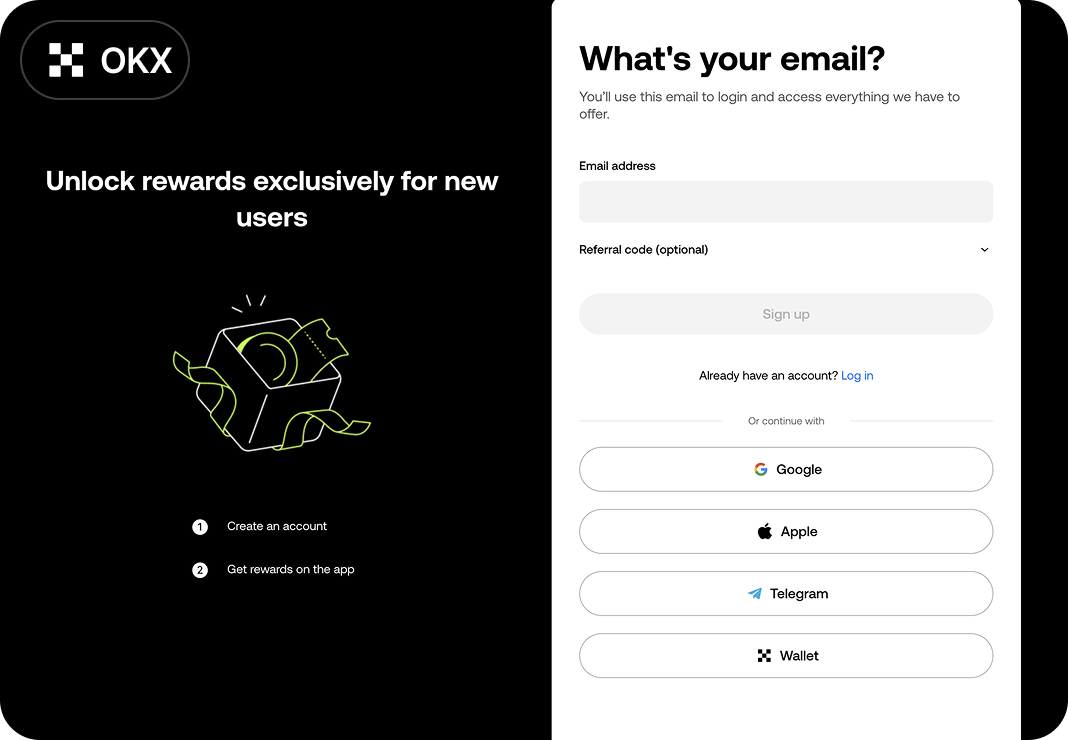
Enter Email
Please enter your email address.
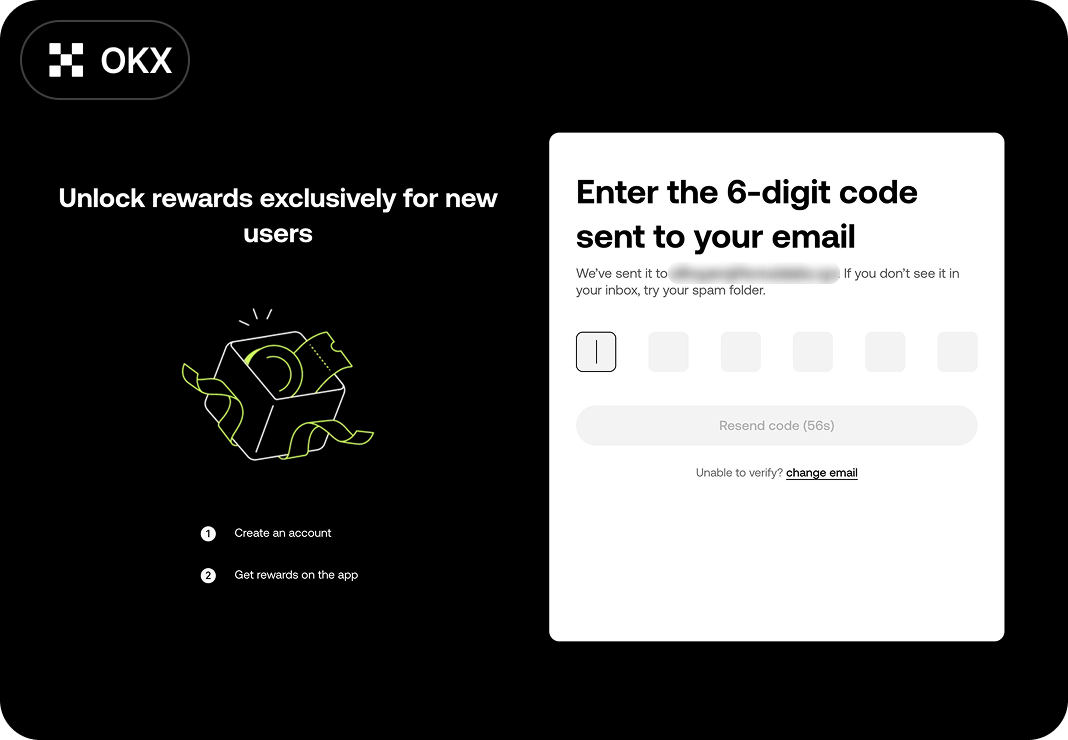
Email Verification
Please check the email you received and complete the verification.
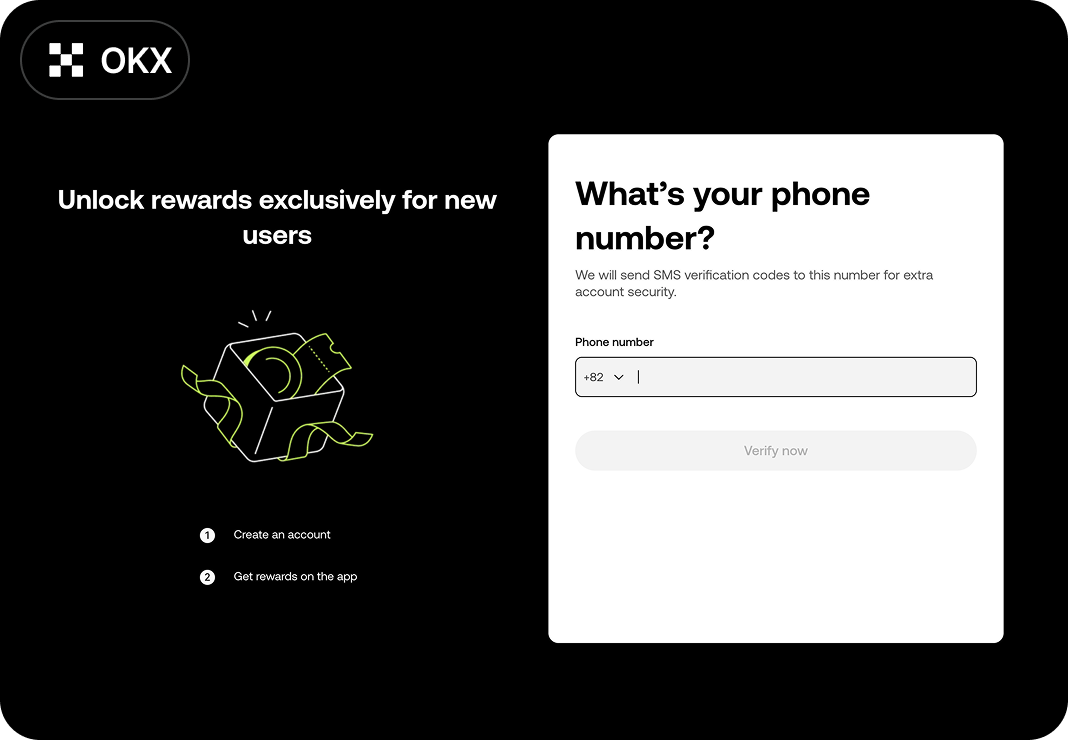
Enter Phone Number
Please enter your phone number.
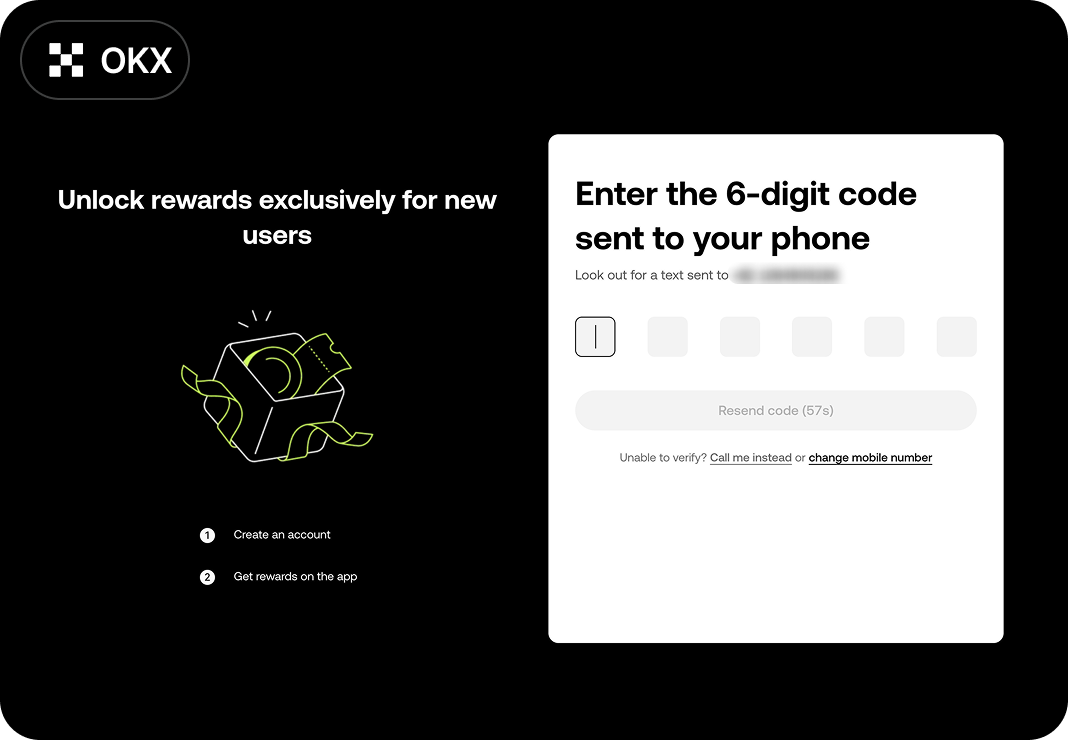
Phone Verification
After entering your phone number, please enter the verification code.
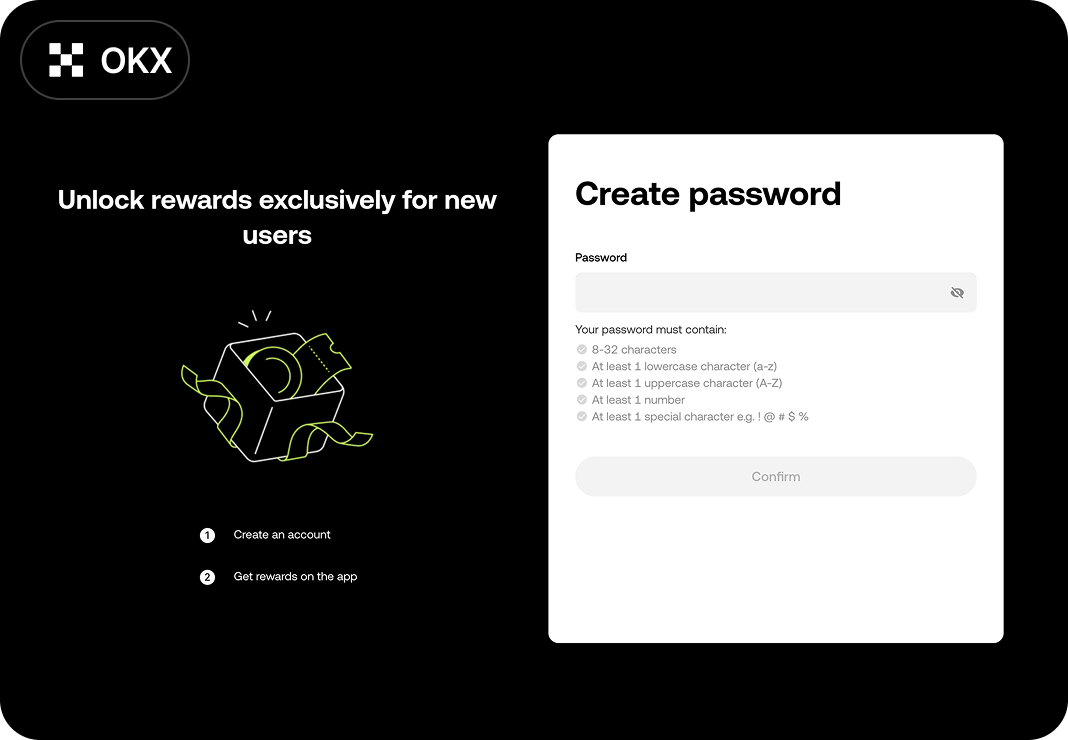
Set password
Please refer to the password rules at the bottom to set your password.
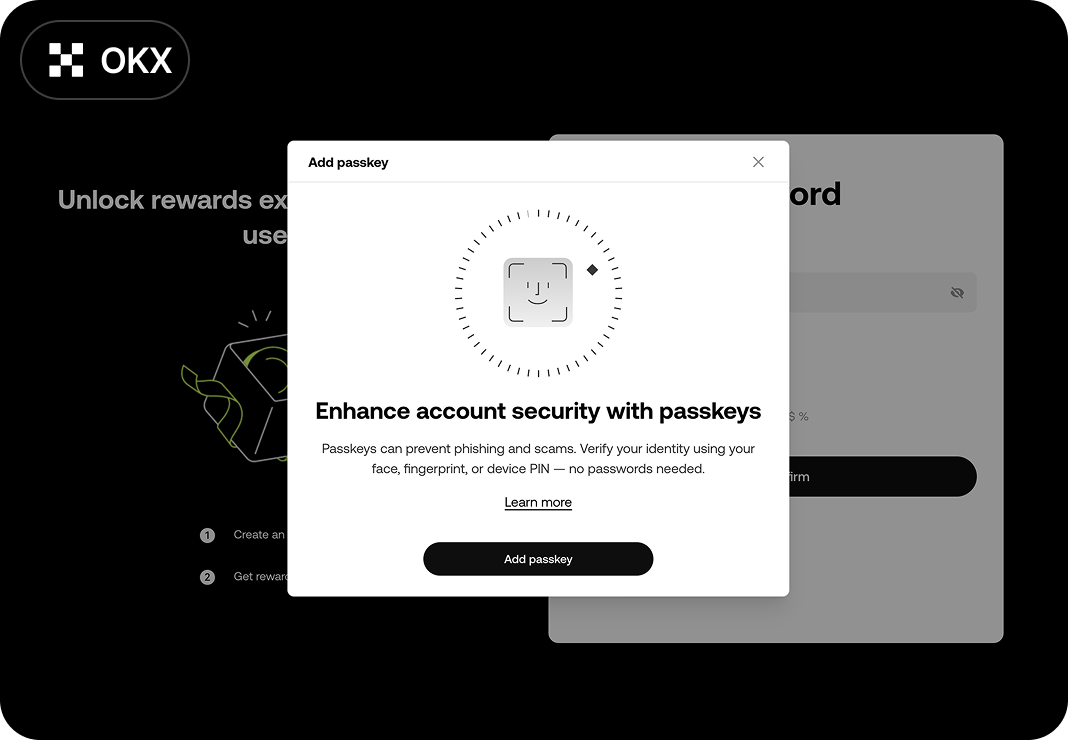
Security Settings (PC) and Registration Complete
Registration will be completed once you finish the Email Verification.