
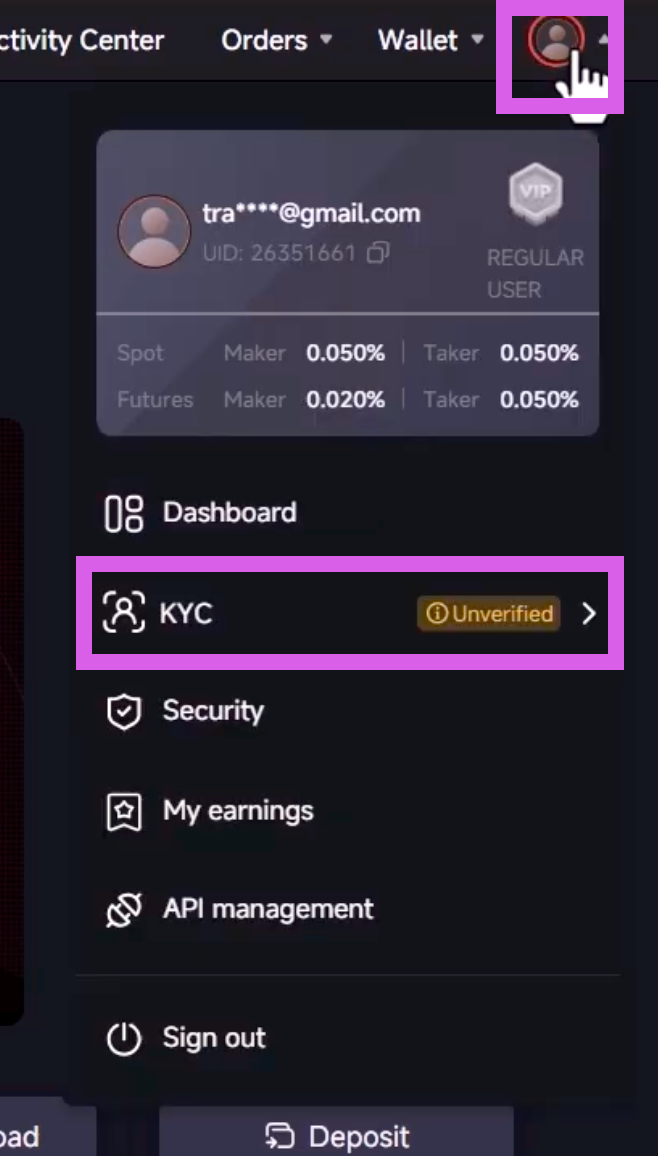
Go to Profile
Click the person icon in the top right corner and select [KYC] from the dropdown menu.
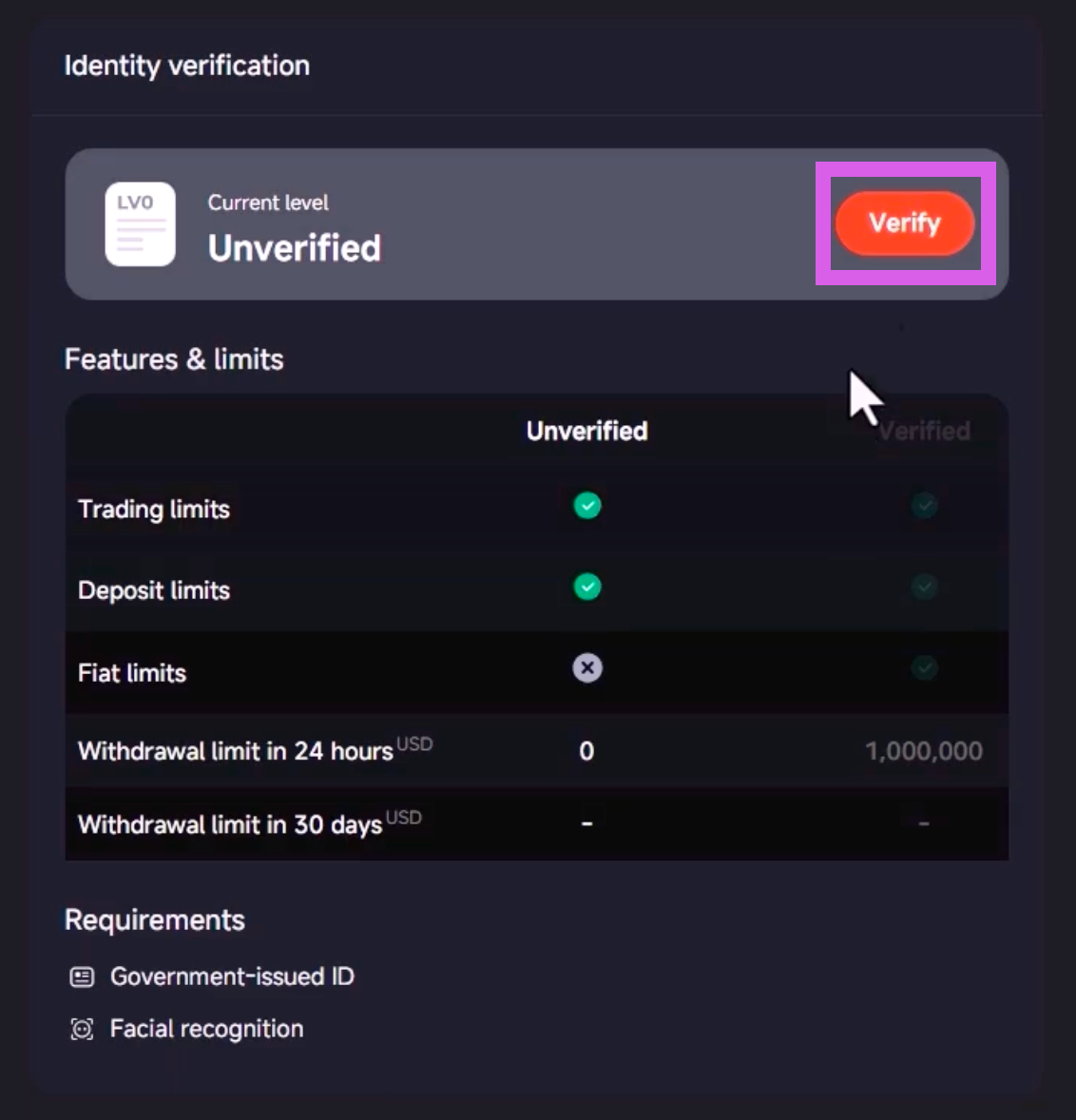
Start Verification
Click the [Verify] button under Identity Verification.
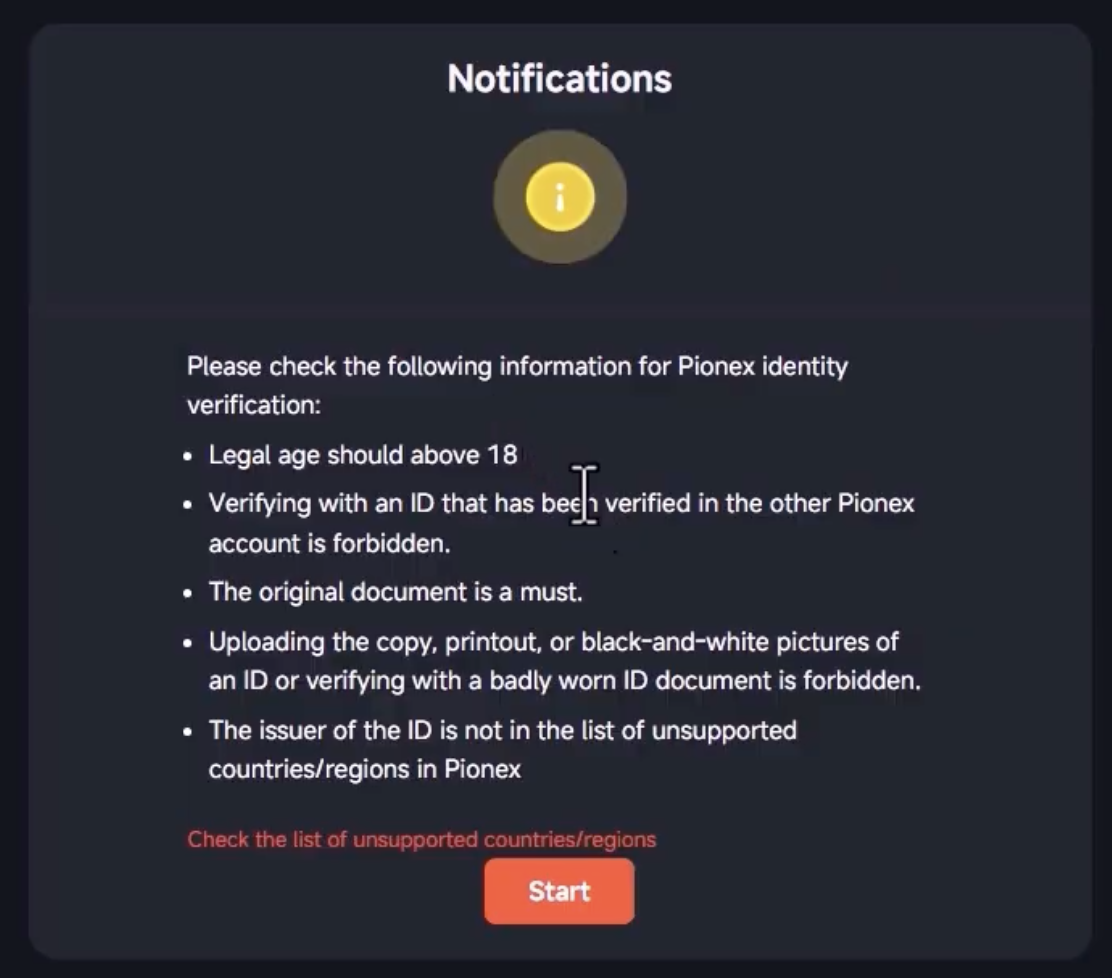
Check Precautions
Review the precautions and click the [Start] button.
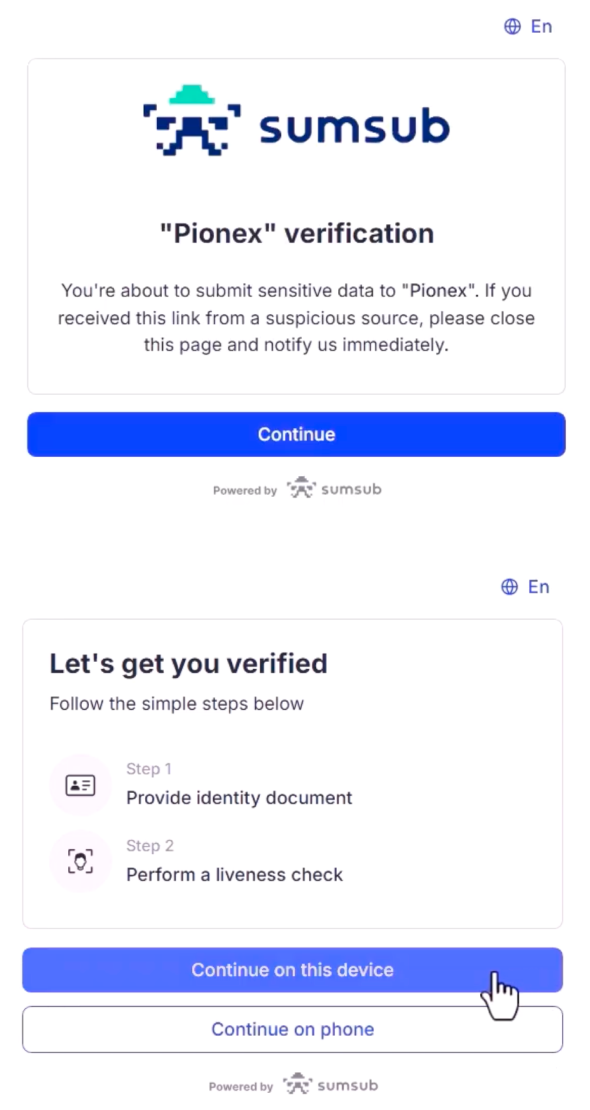
Continue
Click [Continue] → [Continue on this device] to proceed.
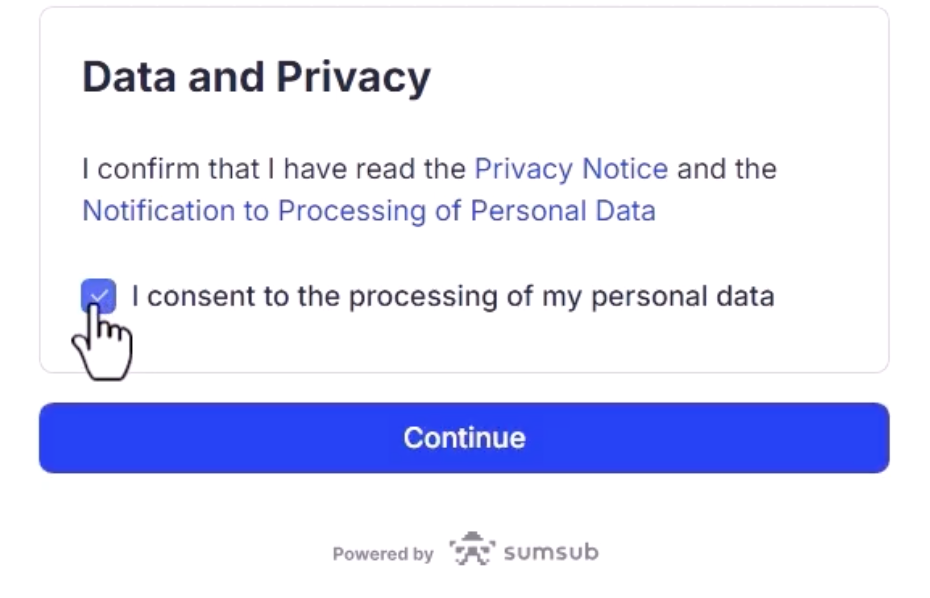
Agreement and Start Verification
Agree to the terms and continue.
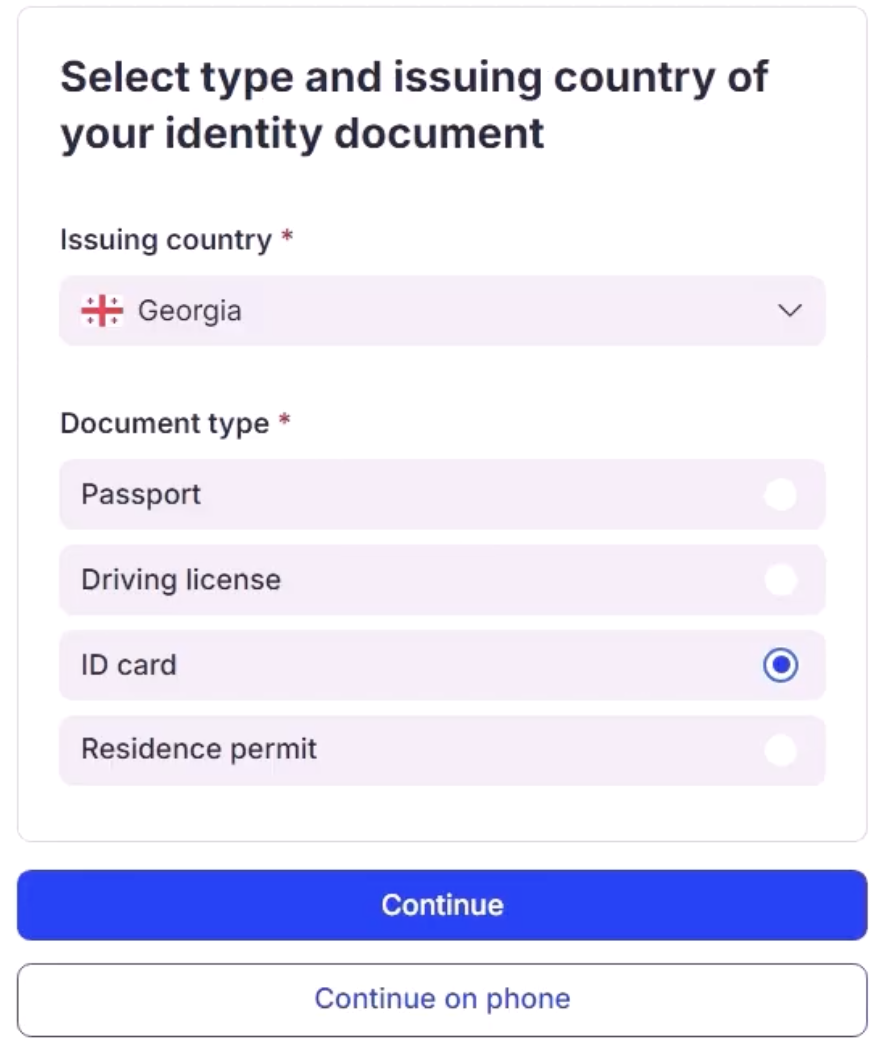
Select Country and Verification Method
You can proceed with identity verification by selecting one of the following: ID card, Driver's license, or Passport.
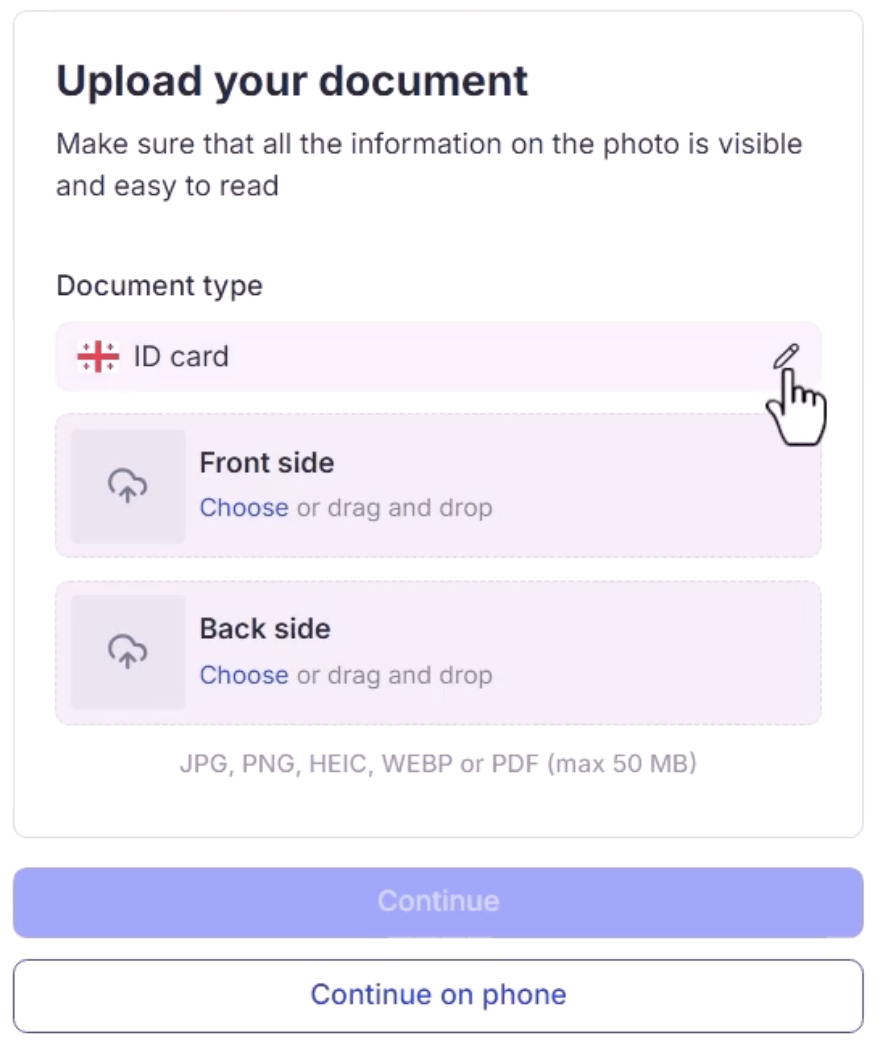
Upload Authentication Method
Please take photos of the front and back of your ID. Low-resolution images may cause delays in verification.
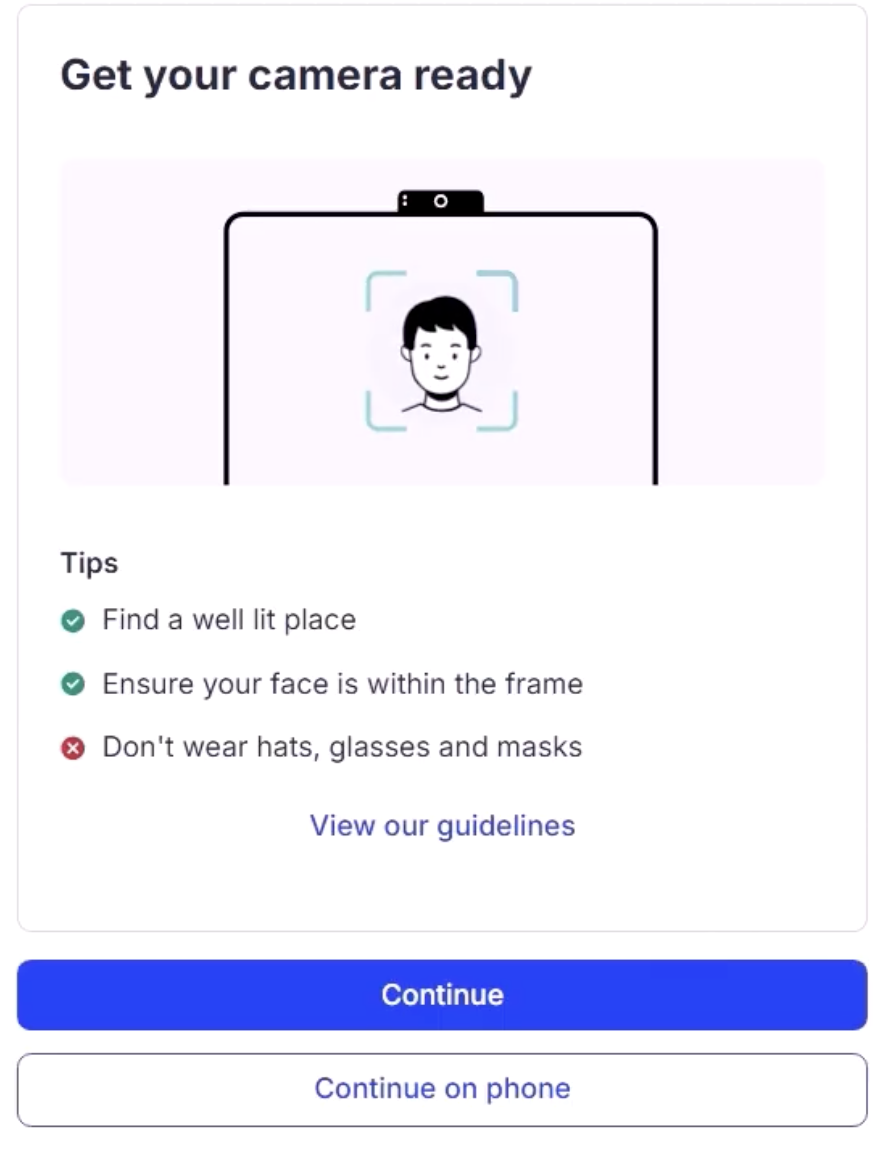
Facial Verification
Please complete the Face Verification.
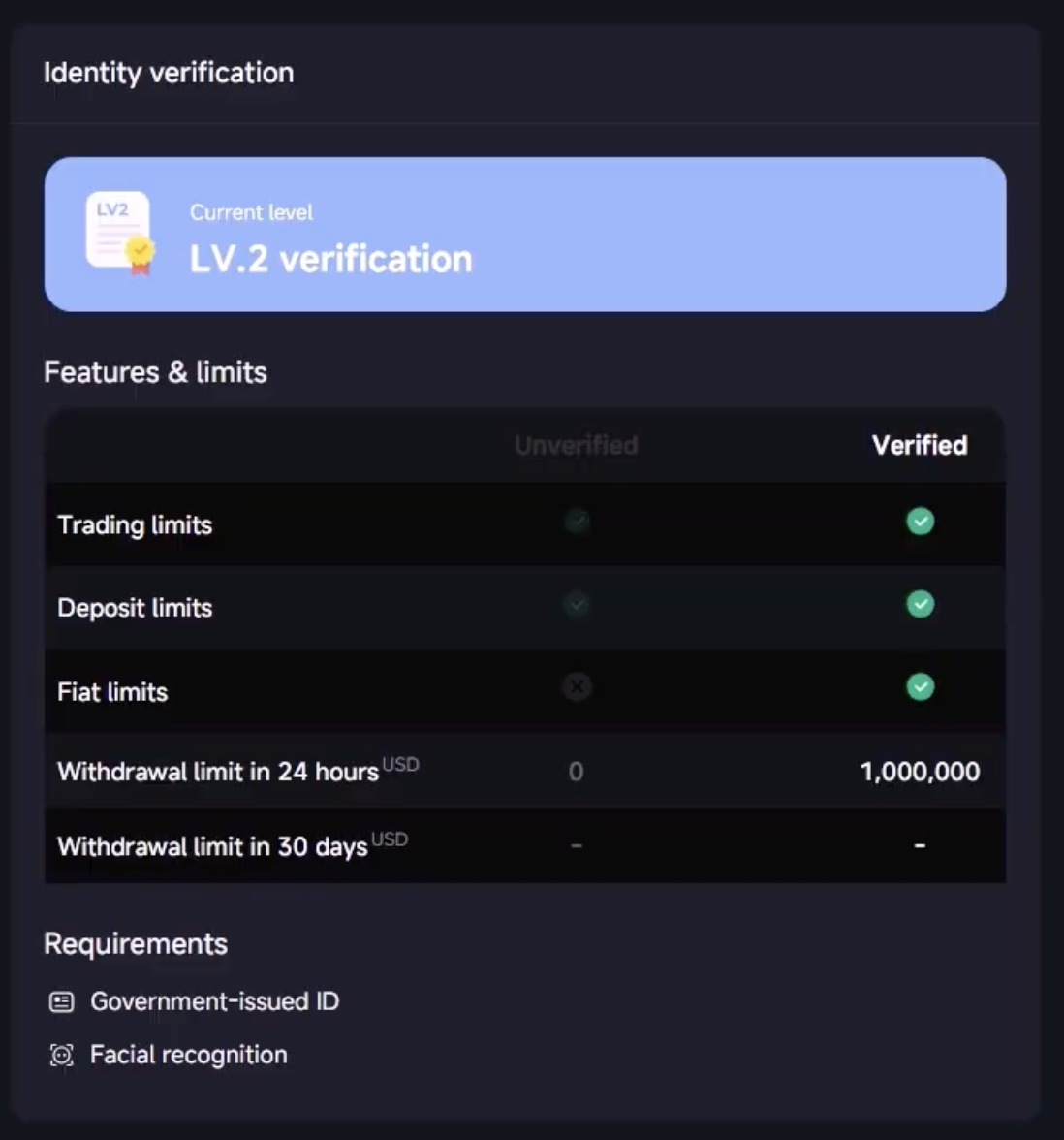
KYC review and completion
A "KYC Verification Complete" message will be displayed upon approval.