
MEXC

Cashback Rate (%)

50%

User Guide

Maker Fee

0%

0%

Taker Fee

0.02%

0.016%

Create Account

Cashback timing

Cashback accumulates after you sign up for an exchange and link it to your dashboard.

How to link your exchange

After signing up for an exchange, upload your UID and a photo of your USDT (TRX) wallet address on the Heymore dashboard. The link will be completed within 1 hour.

Important Note

Once you sign up for an exchange and link it to the dashboard, you can claim your refund through a cashback request after trading.
Sign up guide

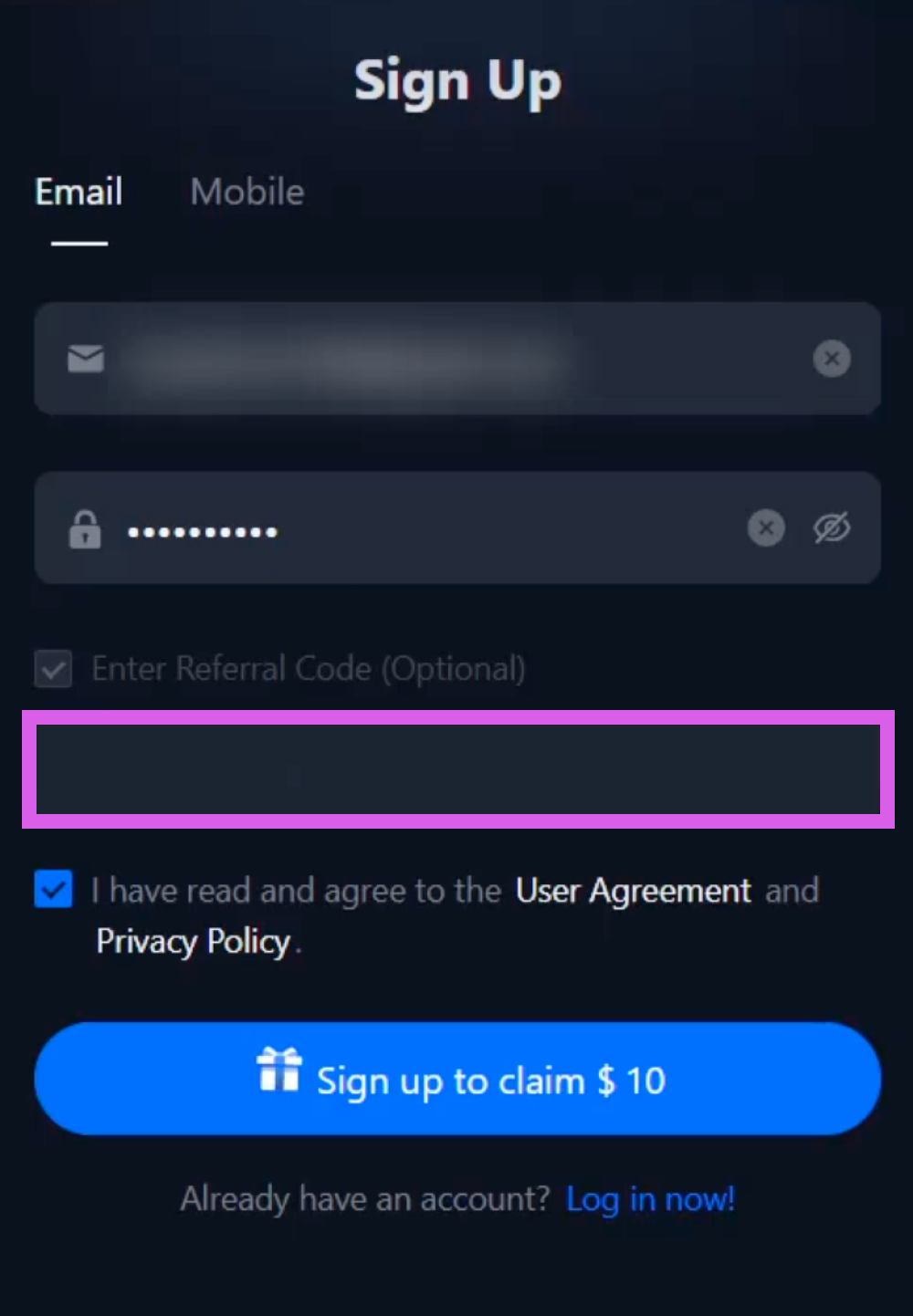
Select the "Sign up with referral code" button below

First, click "Sign up with referral code" to go to the MEXC registration page.

Verify Code and Enter Information

After confirming that the Heymore code has been entered, please sign up using your email or mobile phone number.
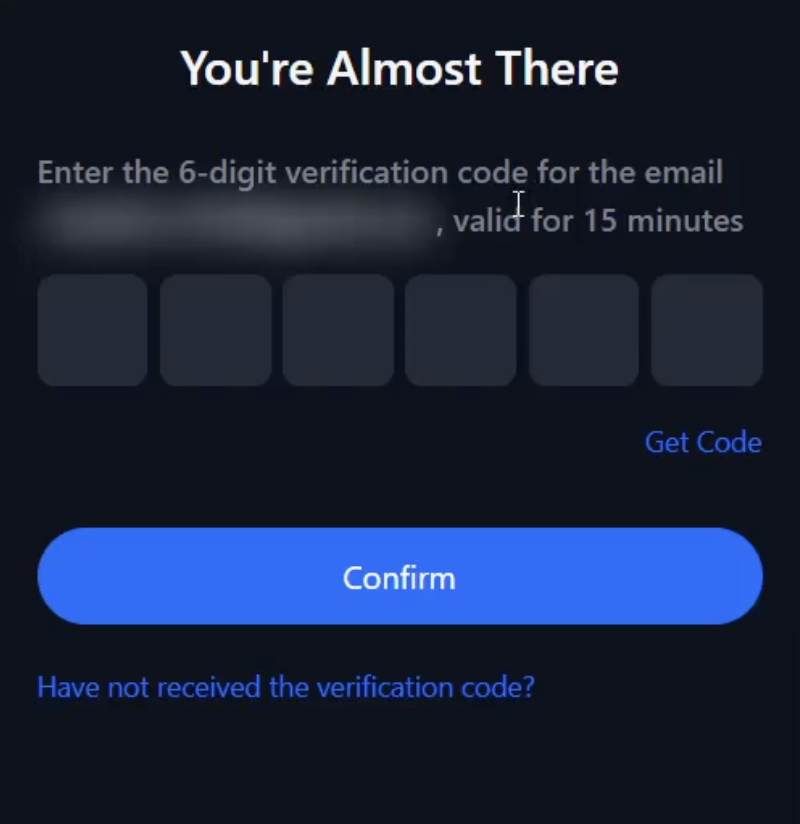
Email Verification

Please check the verification code sent to the email address you used for sign-up and enter it.

Sign-up Complete

The sign-up process will be completed once these steps are finished.
How to verify KYC

How to link your UID

How to change KYC

Checklist before changing (deactivating) KYC

All assets withdrawnPlease confirm that all remaining assets, including coins and USDT, have been withdrawn from your account.
Unlink phone/email verificationPlease unlink your registered phone number and email for security integration.
Disable 2FA authenticationPlease disable 2FA security authentication such as Google Authenticator or Authy.
Delete API KeysIf you are using trading automation programs (API), please delete your API keys.

Precautions

This exchange does not directly support KYC changes. We recommend contacting customer support to check if KYC information can be changed or reset before deactivating your account.

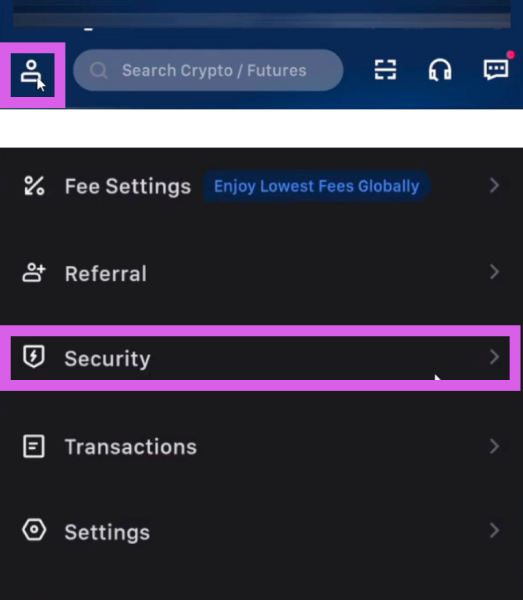
Access Security Page (Mobile Ver.)

Click the profile button in the top left corner, then select [Security] from the list to enter the page.
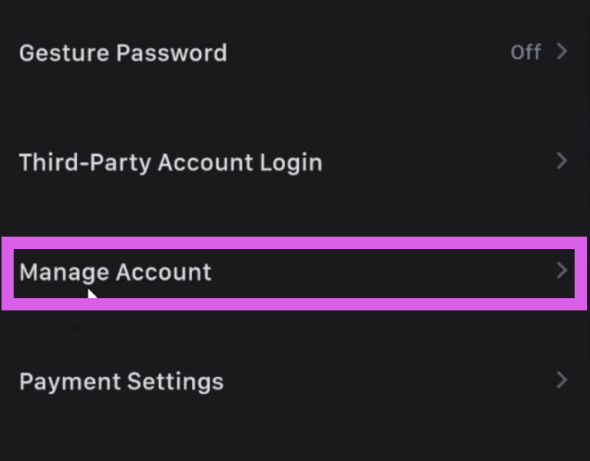
Access Manage Account Page (Mobile Ver.)

Scroll down and select the [Manage Account] menu.
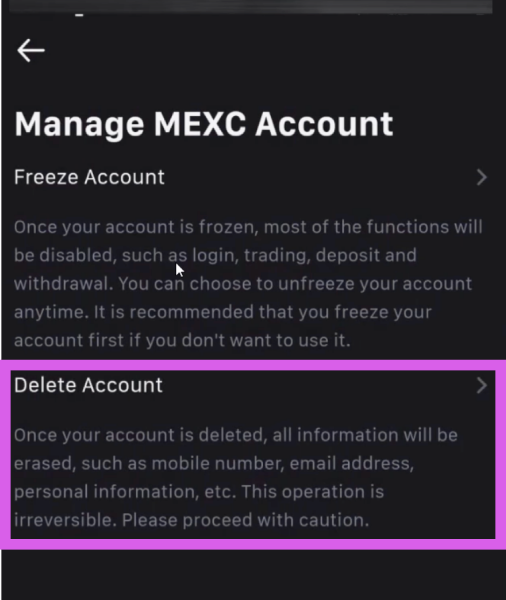
Start Account Deletion Process (Mobile Ver.)

Select [Delete Account] to proceed to the next step.
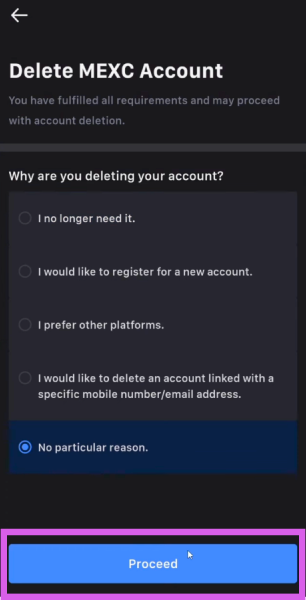
Select Reason for Withdrawal (Mobile Ver.)

Select the reason for withdrawal and press [Proceed].
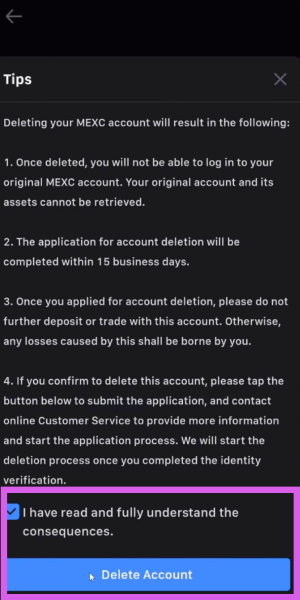
Terms and Conditions Agreement (Mobile Ver.)

Agree to the Terms and Conditions, then proceed to the next step.
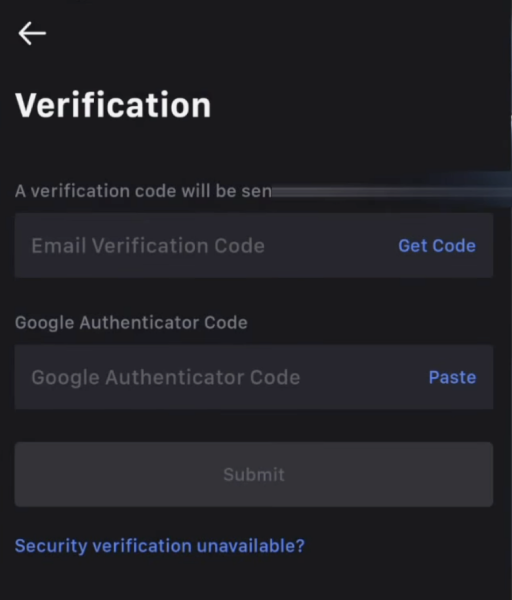
Verification Complete (Mobile Ver.)

Account deletion will be completed once you finish the identity verification.